Pupils book themselves. You sleep.
No more 10pm text messages about lesson times.
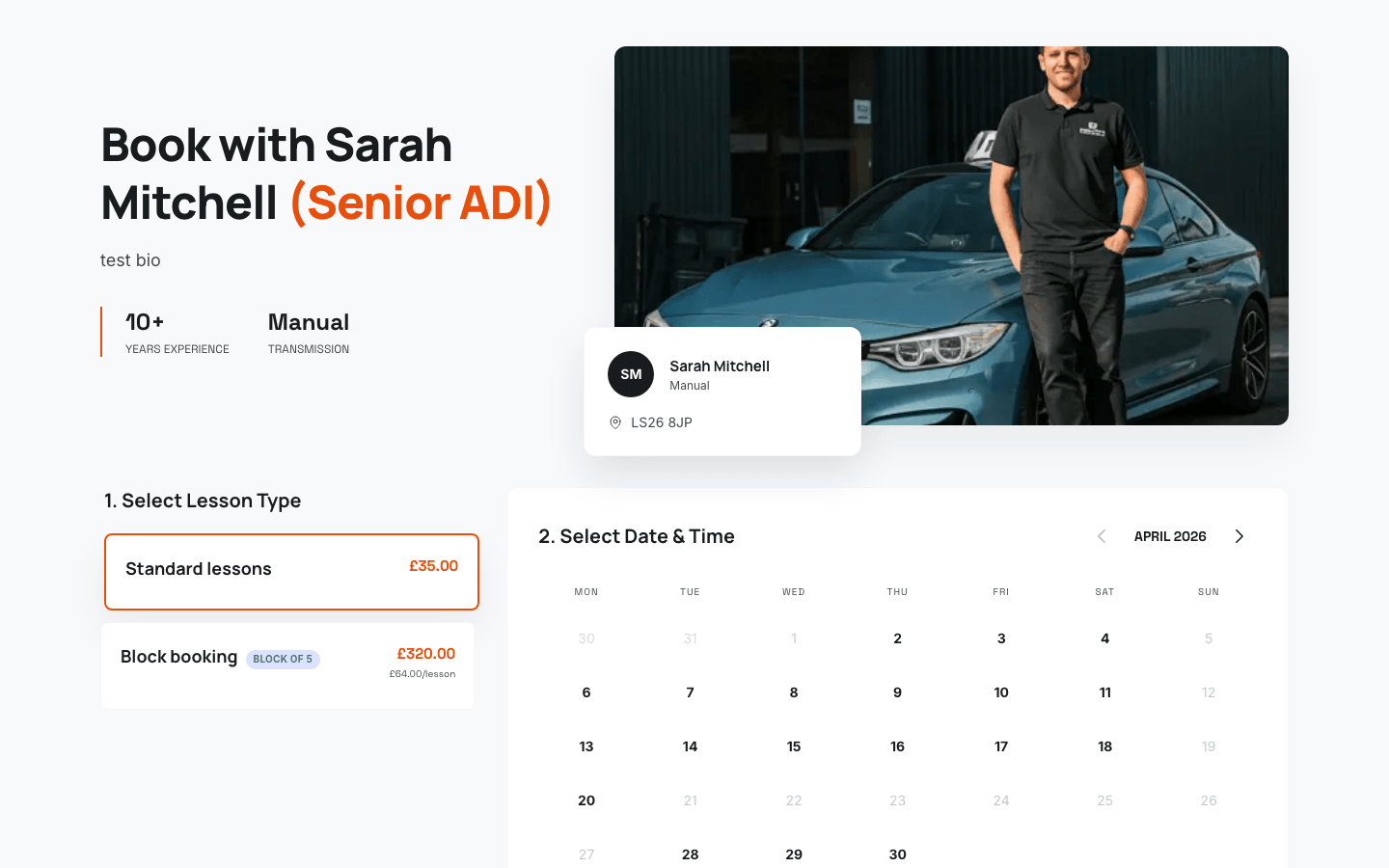
Your own booking page
A branded page at drivepro.app/book/your-name that pupils can visit anytime to see your availability and book a lesson.
24/7 availability
Pupils book at midnight, on the bus, or during their lunch break. Your diary fills up while you're teaching - or sleeping.
Payment at booking
Collect payment the moment a lesson is booked. No more chasing, no more awkward conversations about money.
Embeddable widget
Drop a booking widget onto your existing website with a single line of code. Pupils book without leaving your site.
Waiting list
Fully booked? Pupils join your waiting list and get notified automatically when a slot opens up. Never lose a lead.
Automated confirmations
Pupils receive instant confirmation emails and reminders. You never have to send a 'see you Tuesday' text again.
Your branded booking page
Every instructor gets a personal booking page at drivepro.app/book/your-name. Share the link on social media, print it on your car, or text it to new enquiries. Pupils see your real-time availability, pick a slot, and pay - all without a single phone call.
- Shows your live calendar availability
- Pupils pick their preferred lesson length
- Collect payment or deposit at the point of booking
- Works beautifully on mobile, tablet, and desktop
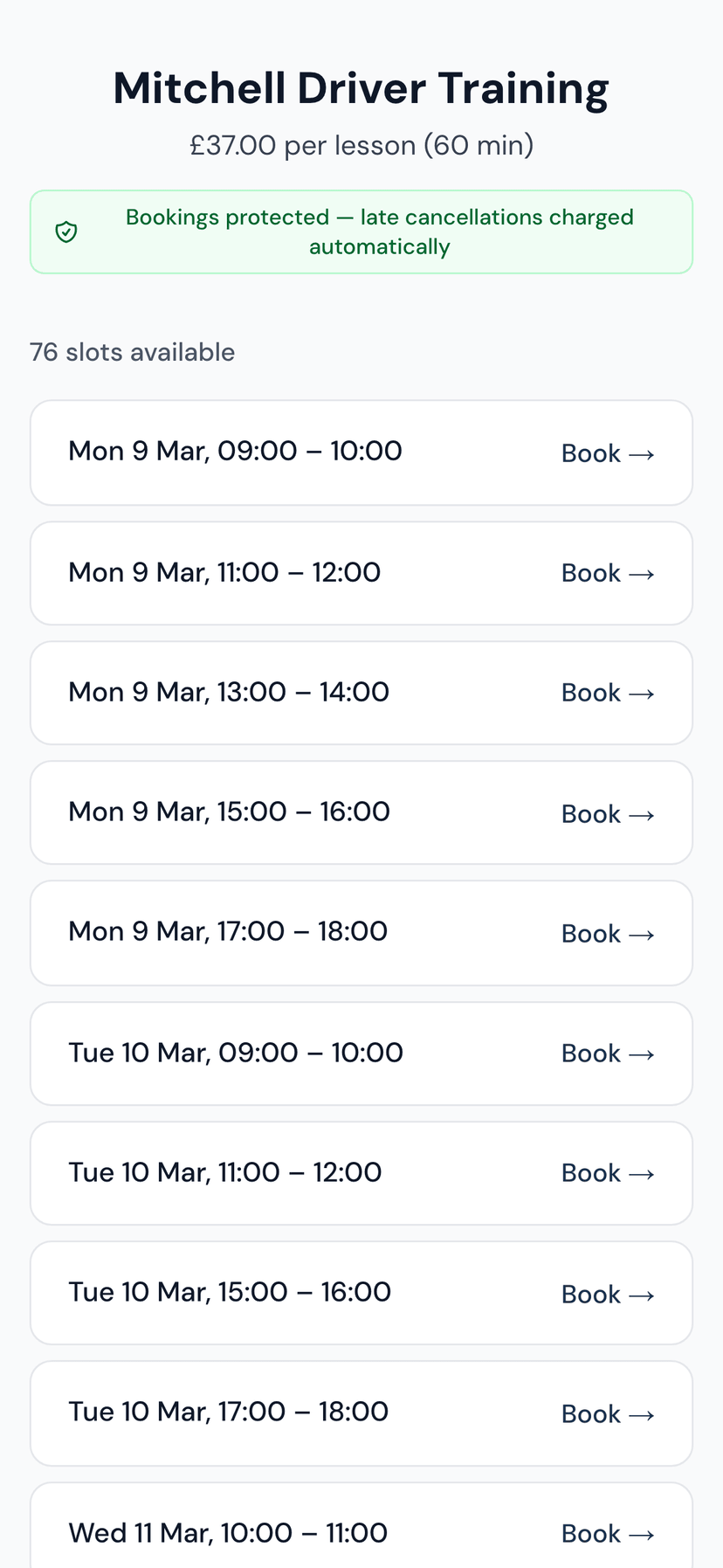
Embed on your own website
Already have a website? Paste a single line of code and your booking calendar appears right there. It matches your site's look, so pupils never feel like they've left. Works with WordPress, Wix, Squarespace, and any HTML site.
- One-line embed code - no developer needed
- Responsive design that fits any layout
- Pupils book without leaving your website
- Customisable colours to match your brand
Waiting list that fills gaps
When every slot is taken, new enquiries can join your waiting list instead of moving on to another instructor. When a cancellation opens up a slot, the next person on the list is offered it automatically. Your diary stays full without you lifting a finger.
- Automatic notifications when slots open
- Pupils choose which days and times suit them
- Priority ordering so you control who gets first pick
- Converts cancellations into bookings, not empty hours
Questions & answers
Can I control my availability?
Do pupils need to create an account?
Can I embed the booking widget on my own website?
What about cancellations?
Is there a waiting list?
How much does the online booking system cost?
Does DrivePro send lesson reminders to pupils?
Can I charge cancellation fees automatically?
Are you a learner? Find an instructor near you