Get paid before the engine starts.
No-shows and unpaid lessons eat into your income. DrivePro's pay-at-booking model means you get paid before the engine starts.
Pay at booking
Pupils pay by card when they book their lesson. No more chasing cash, no more lesson arrears, no more awkward conversations.
Your own Stripe account
Every instructor connects their own Stripe account at onboarding. Payouts go directly from Stripe to your bank account — DrivePro never holds funds in escrow.
Standard Stripe processing
Card payments run through Stripe at standard industry rates, with every fee itemised in your Stripe dashboard in real time.
Next-day payouts
Payments land in your bank account the next business day. No waiting around for weekly or monthly payouts.
Automatic cancellation fees
Late cancellation? The fee is charged automatically to the card on file. No arguments, no chasing, no revenue lost.
Payment tracking & reporting
See every pupil's balance, payment history, and outstanding amount in one place. All payments auto-feed your tax return.
Pay at booking. Zero lesson arrears.
When a pupil books a lesson through your DrivePro booking page, they pay upfront by card. The lesson is only confirmed once payment is taken. No more turning up to a lesson wondering if you'll get paid.
- Card payment taken at the point of booking
- Lesson only confirmed after successful payment
- Pupils can pay for blocks of lessons in advance
- Supports all major debit and credit cards
- Secure Stripe checkout - PCI compliant, no card data touches your device
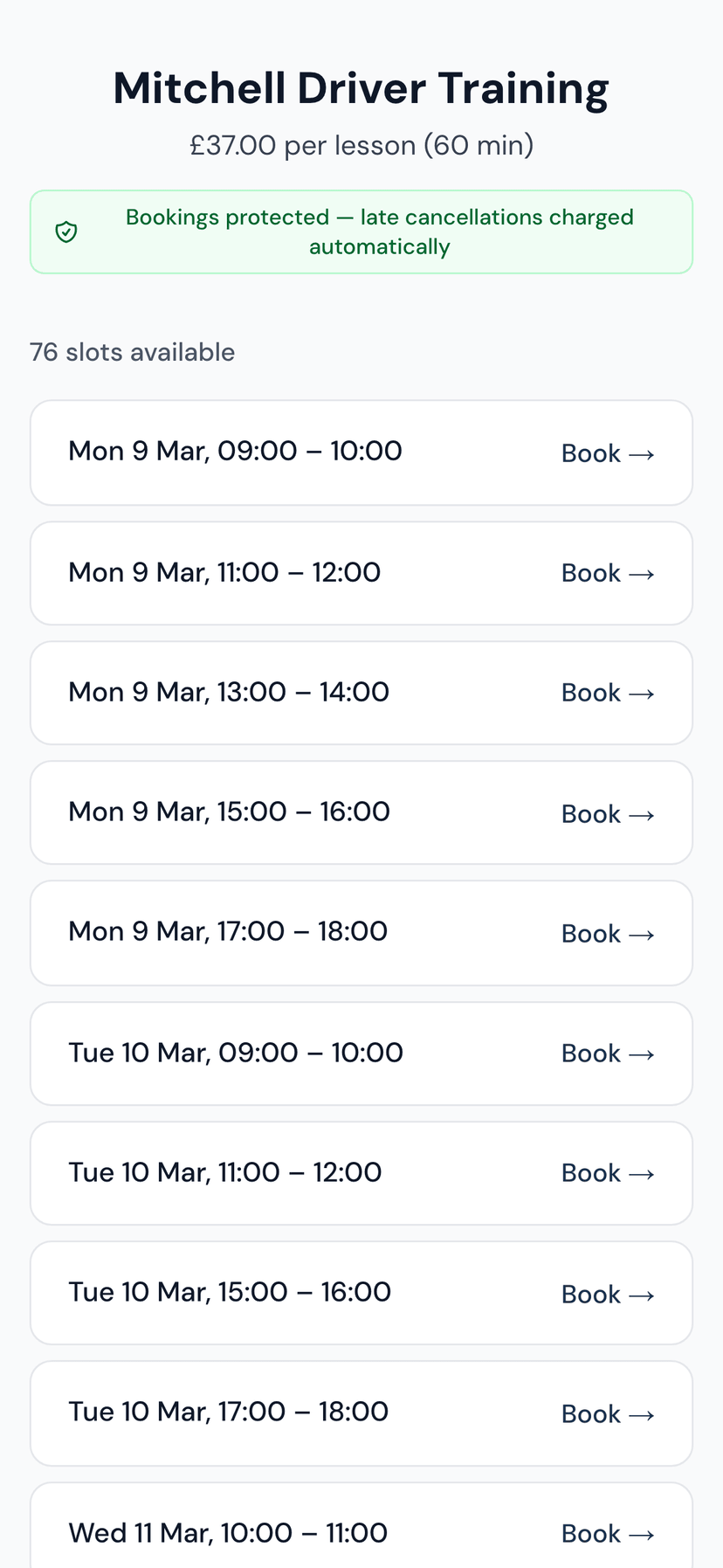
Cancellation fees that enforce themselves.
Set your cancellation policy - choose your notice period and fee amount. If a pupil cancels inside the window, the fee is automatically charged to their card. You don't need to send an awkward text or write off the income.
- You set the cancellation window (24h, 48h, or custom)
- You set the fee amount (flat rate or percentage)
- Charged automatically - no manual intervention
- Pupils are shown the policy clearly at booking time
- Disputes handled through Stripe's built-in protection
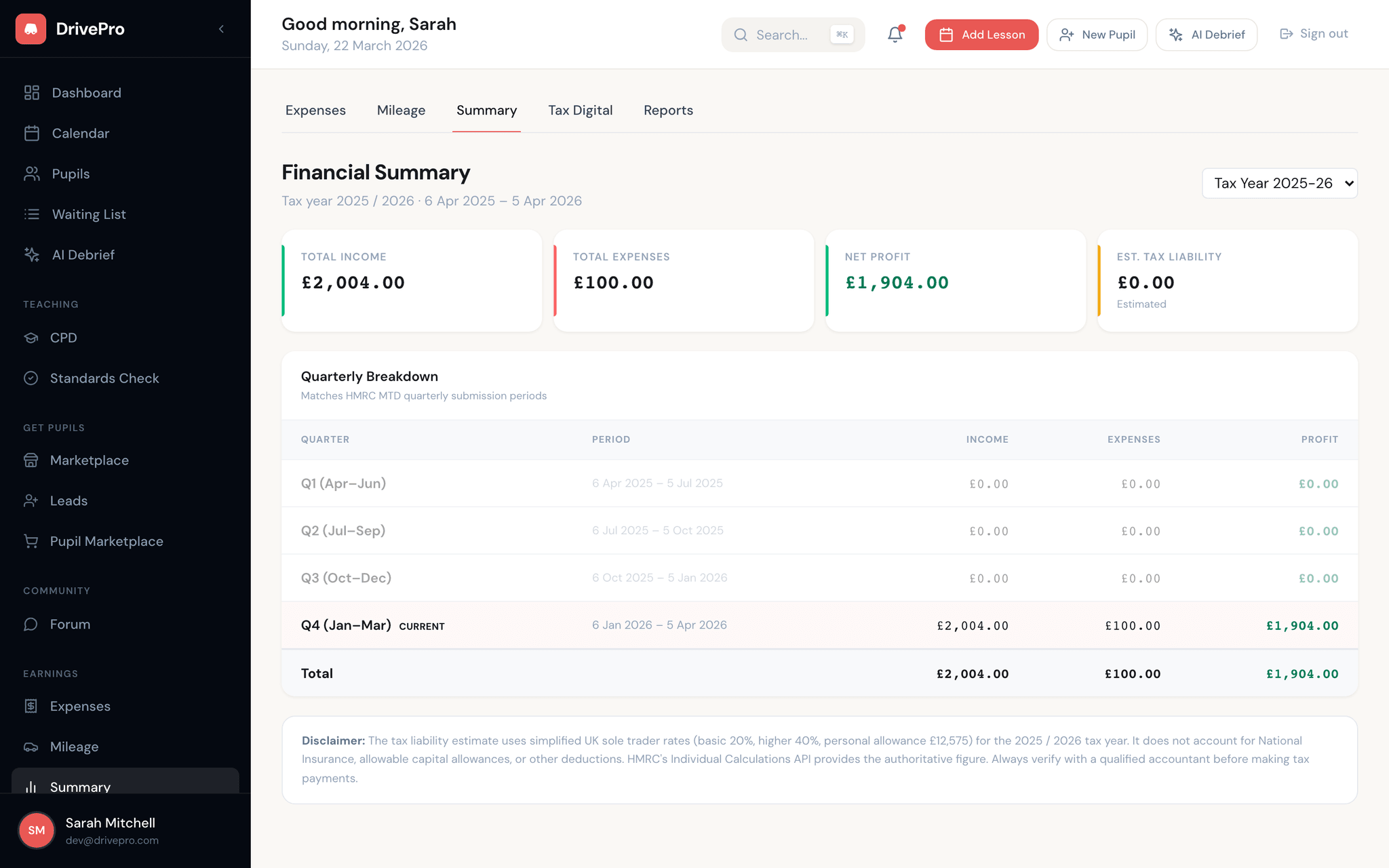
Card payments that feed straight into your accounts.
Pay-at-booking eliminates lesson arrears and unpaid cancellations. Every card payment lands in your own Stripe account, payouts hit your bank the next business day, and every transaction auto-feeds your quarterly HMRC return. You spend zero time reconciling payments against your diary.
- Pay-at-booking — pupils can't book without paying
- Stripe Connect — each instructor holds their own merchant account
- Next-business-day payouts straight to your bank
- Every fee itemised in your Stripe dashboard
- All payments automatically recorded for Making Tax Digital